 PluraFusion
Plate 01Stress
Simulate stress
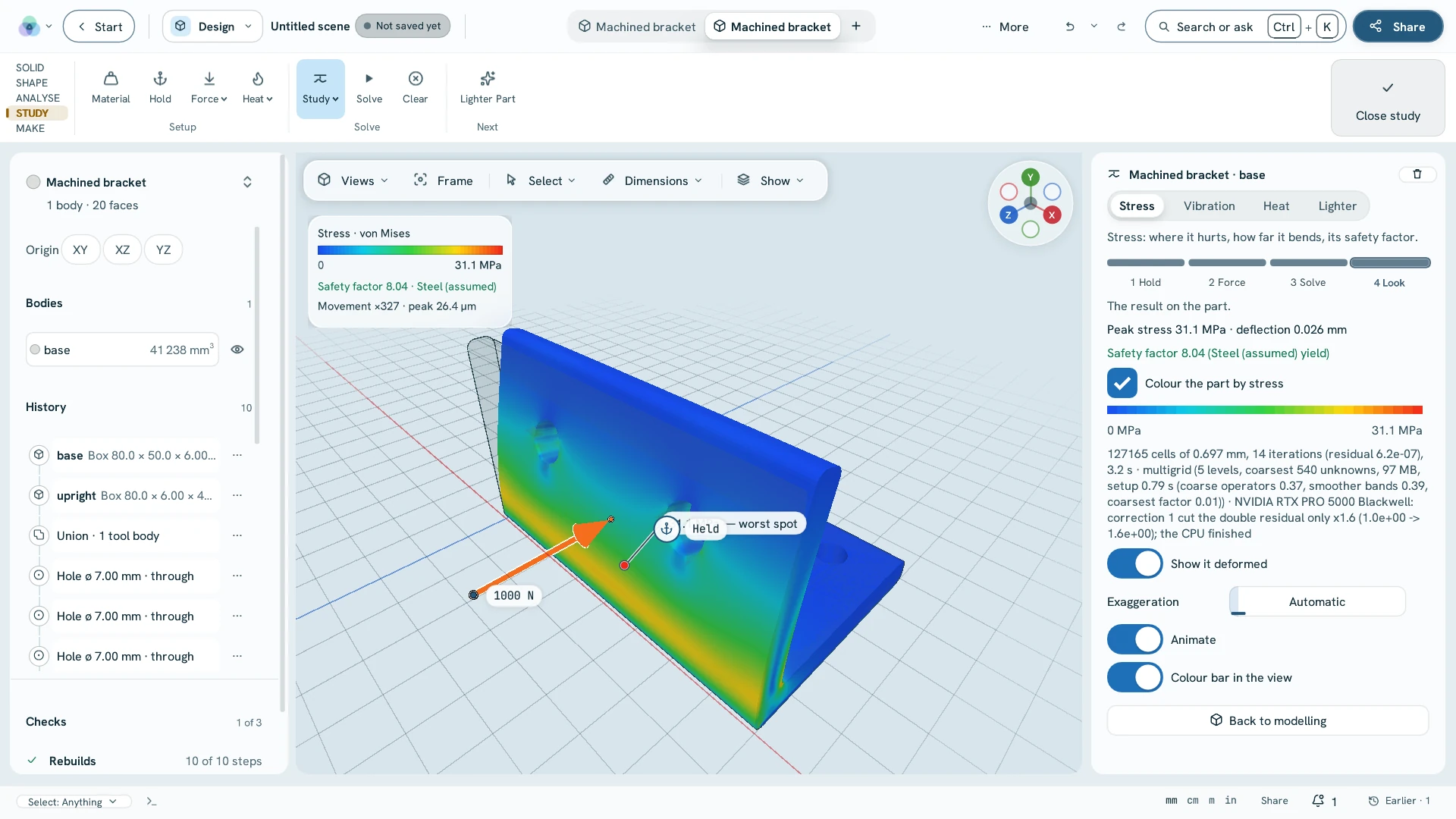
cad.feaHold some faces, push on others: the peak stress, the deflection and the safety factor. Heat works the same way, with cad.thermal.
Sheet 1Designin Ultimate
Model a part, draw it, test it and make it — in the same scene as the scan, the site or the building it has to fit.
Sheet 2In the applicationwindow captures · 30 Oct 2026
Held at its plate, pushed with 1,000 N: the stress, the deflection and the safety factor, on the part as it was modelled — no export, no mesher, no second program.
Sheet 3Modelexact B-rep · feature history
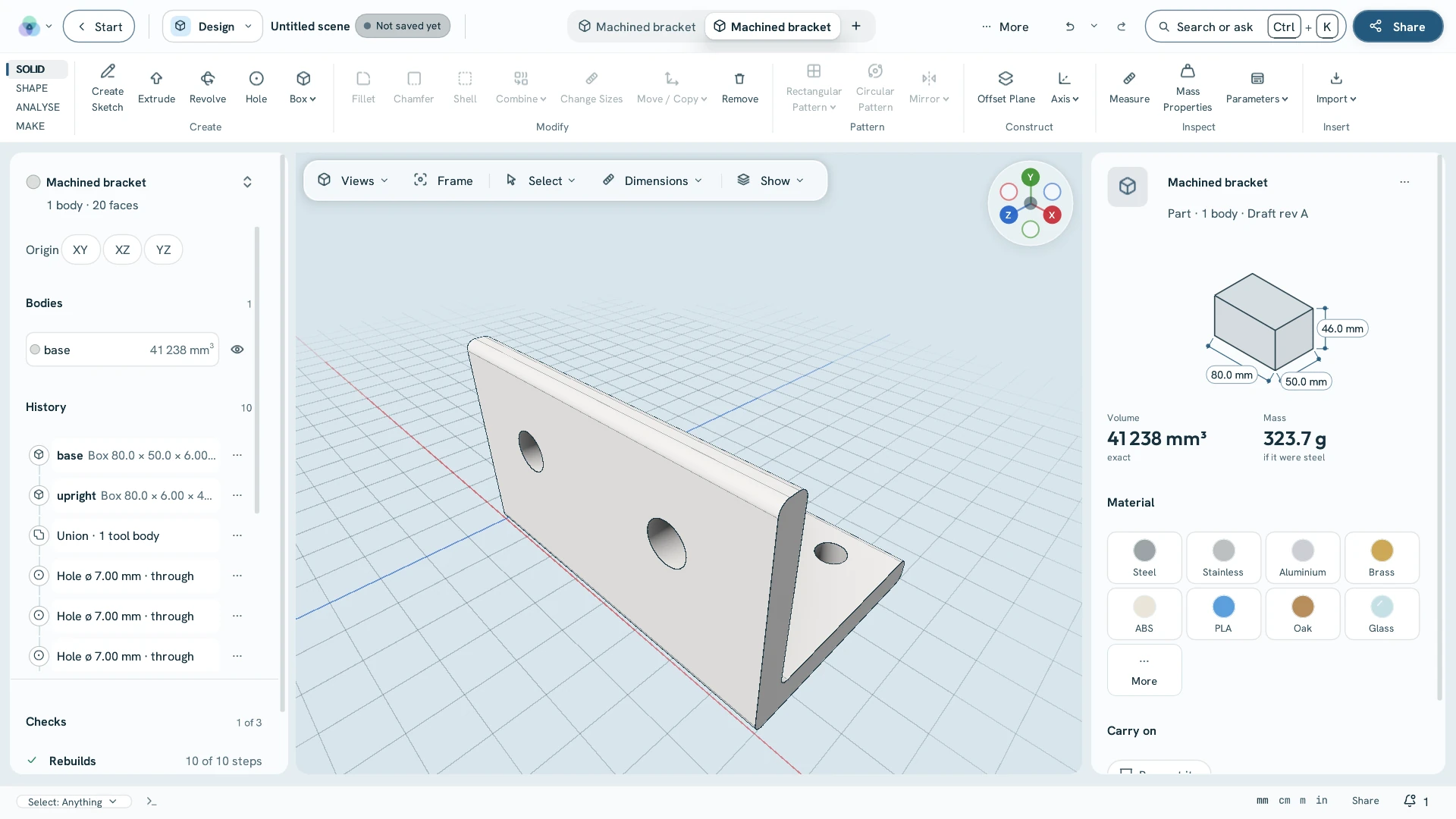
Steps you can go back and change, named parameters, variants of one part and assemblies whose joints really move. STEP out with its true surfaces, in millimetres.
Sheet 4Test it · make it
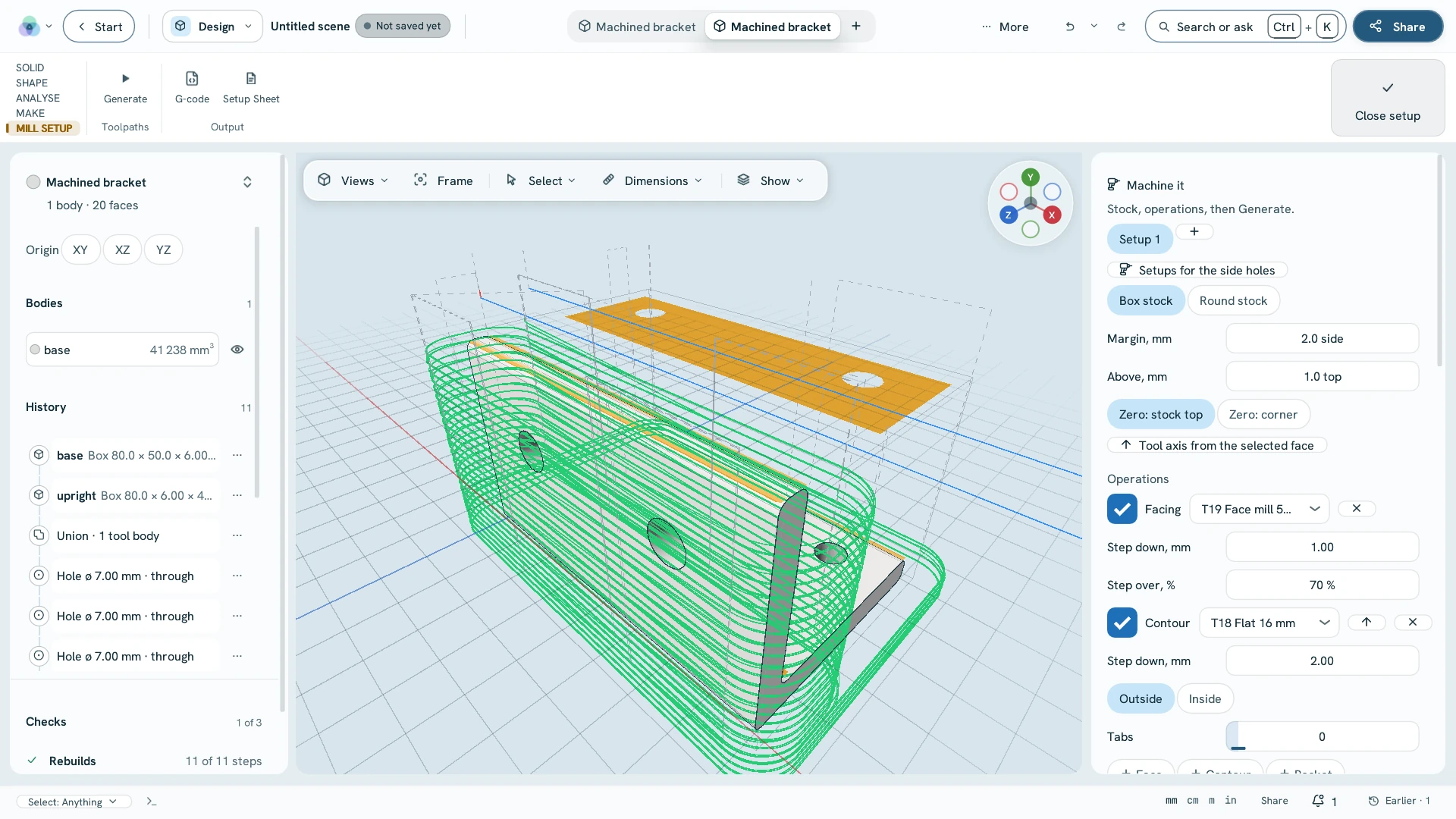
The same solid goes to the simulation, the mill, the printer and the press brake — no export, no second program, no second set of units.
cad.feaHold some faces, push on others: the peak stress, the deflection and the safety factor. Heat works the same way, with cad.thermal.
cad.camToolpaths for a CNC mill — facing, profiles, pockets, drilling and chamfers — saved as G-code with a setup sheet.
cad.printSliced for an FDM printer — walls, infill and supports, with the print time — and saved as G-code.
cad.sheet.unfoldFlanges, hems, jogs and louvers with a K-factor or your bend table; the flat pattern out as DXF, nested on stock.
cad.latticeKeep a solid skin and fill the inside with a gyroid, Schwarz P or diamond sheet, ready to print.
cad.subd.boxA smooth body from a cage: drag, crease and mirror it, then keep it as an ordinary solid.
Sheet 5Draw itDXF · DWG · PDF
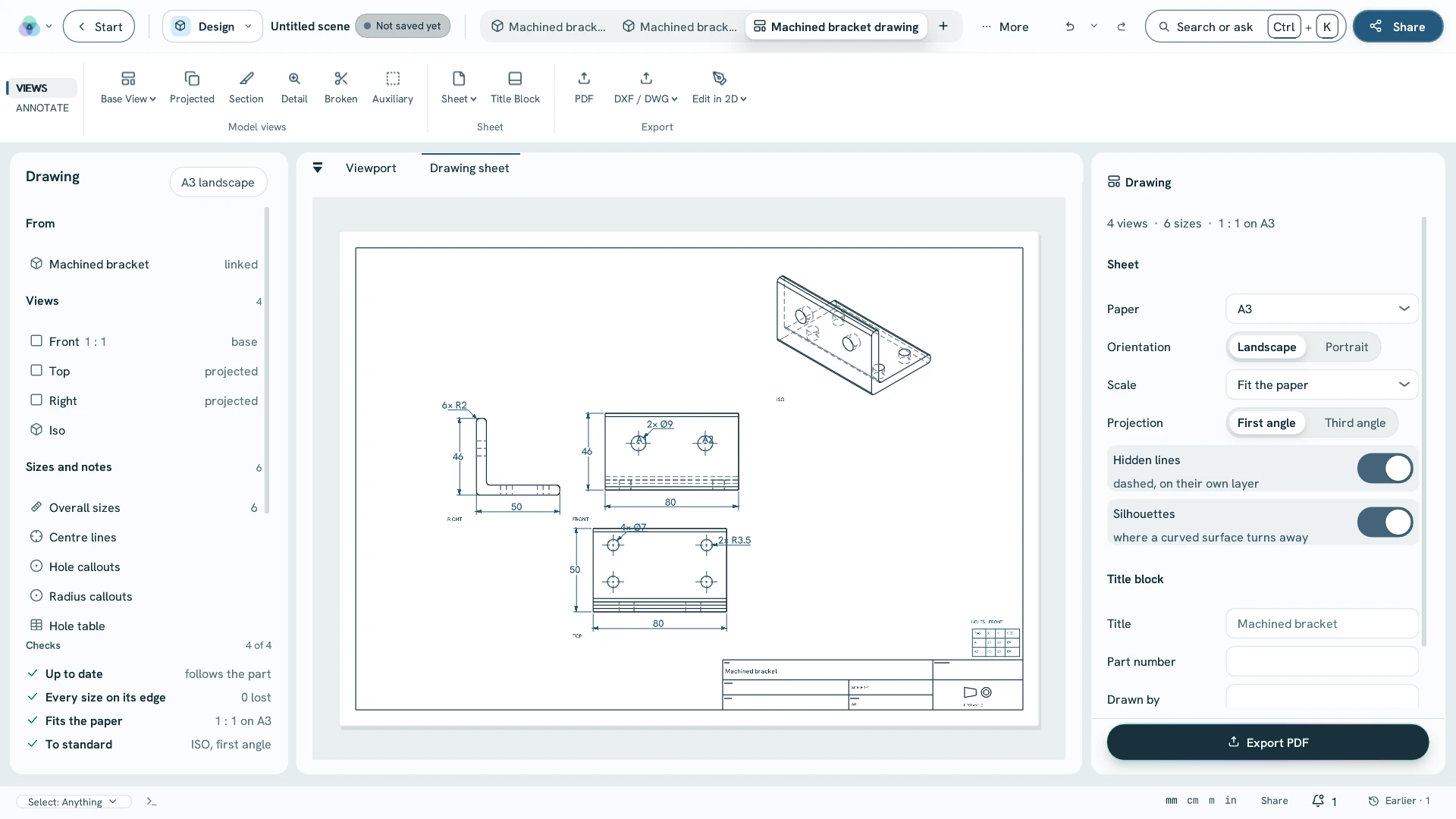
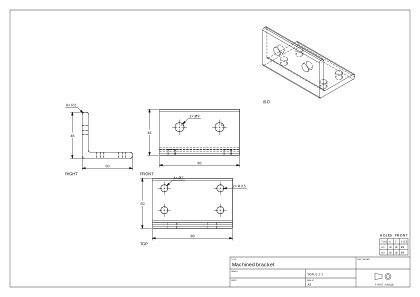
The part's drawing makes itself — views, dimensions, centre lines and hole callouts — and opens in 2D drafting, where AutoCAD's command aliases work. DXF and DWG in and out; plots to PDF.
Sheet 6On the scanIFC 4 · IFC2X3
Walls, slabs, storeys, openings and rooms are found in the scan and proposed one at a time. Accept, reject, or drag a wall on the plan slice and an opening in the elevation — then the building leaves as IFC.
Sheet 7Packageper seat · excl. VAT · draft
Design is a package of its own, from €690 a year — or part of Ultimate.