On the webno install, no account

3D in abrowser tab.

Open scans, models and CAD, or design a part with a colleague, in any browser.

Barcelona lidar · in a browser tab

The Web Viewerfree, standalone

Open anything.Install nothing.

Drop a file or follow a link, and it is on screen.

No install

It runs in the tab.

No account

Open it and look.

Files stay put

They open in the page, not on a server.

Every kindone scene

Scans, models,CAD and buildings.

Point clouds, meshes, splats, CAD and IFC open together.
  • Big clouds stream in
  • CAD read as in the desktop app
  • Several files, one scene
  • Works offline once installed
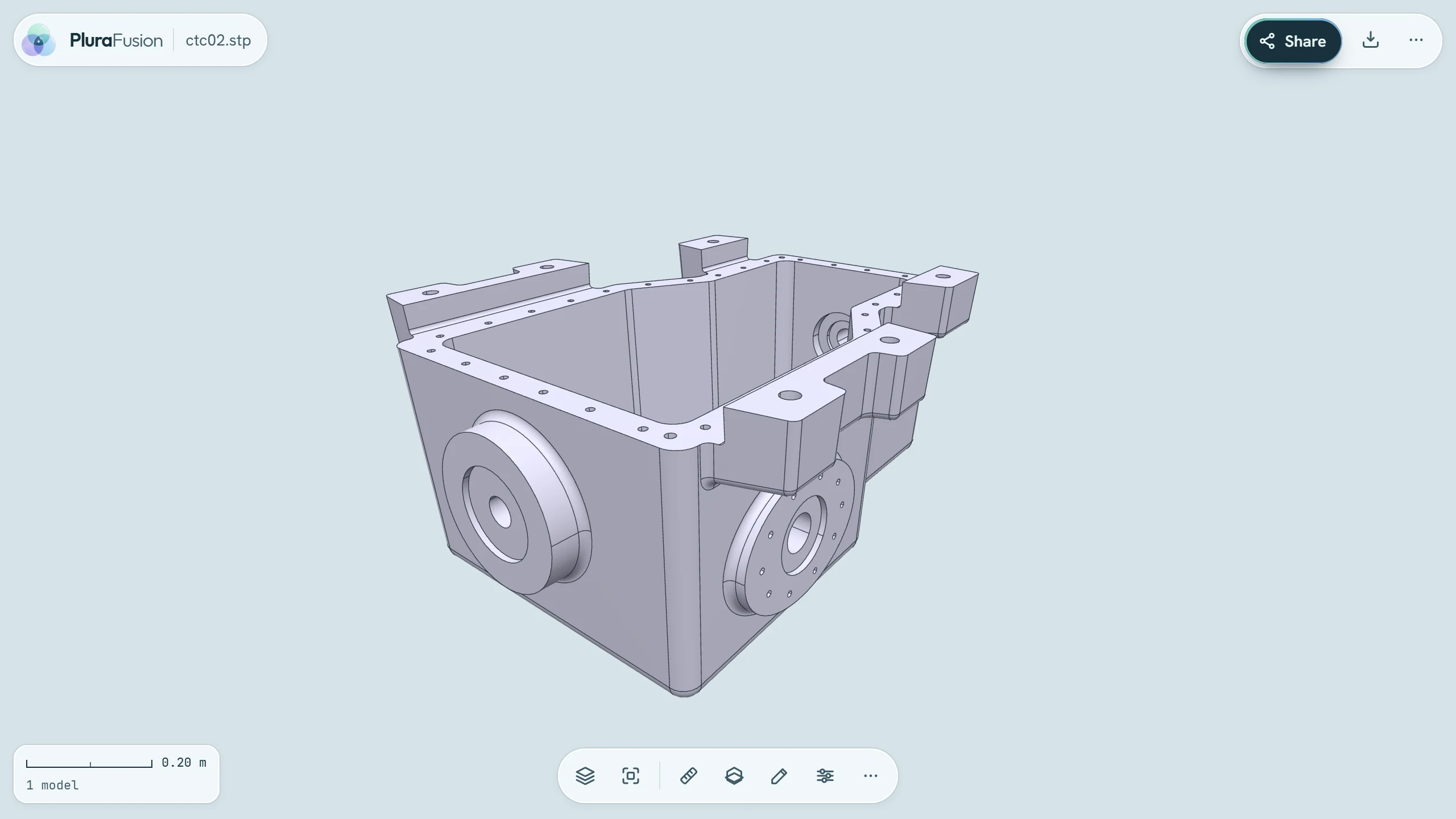
A machined housing opened from a STEP file in the browser viewer, shaded with its edges
STEP · opened in the browser

What opensin the browser

Your file types,in the tab.

Scans, meshes, splats, CAD, buildings and pictures.

Point clouds

  • .las
  • .laz
  • .copc.laz
  • .e57

Meshes

  • .glb
  • .gltf
  • .obj
  • .stl
  • .ply
  • .3mf
  • .fbx

Splats

  • .sog
  • .spz
  • .ply
  • .splat
  • .ksplat

CAD

  • .step
  • .stp
  • .iges
  • .igs
  • .dxf
  • .dwg
  • .3dm
  • .brep
  • .x_t

Buildings

  • .ifc

Streamed and more

  • 3D Tiles
  • Images
  • .pfweb

Measureand section

Measure it.Cut through it.

Distances, areas and heights, and section planes through any model.

  • Distance, area, height and angle
  • Section planes and boxes
  • The numbers out as a file
  • A screenshot in one click
IFC · a section plane

Reviewwith others

Save it.Share what you found.

Views, issues and comparisons stay with the scene.

  • Saved views
  • Issues and comments
  • Compare and heatmap
  • Join a desk or a team project
  • Open shared links
  • Works offline once installed

The Web CAD editormodel in the browser

Model a part.Right here.

Sketch, extrude and refine a part, with its history beside it.

Historyevery step kept

Change a number.The part follows.

Go back to any step, edit it, and everything after it follows.

  • Extrude, revolve, fillet and shell
  • Holes, threads and patterns
  • A history you can edit
  • STEP and STL out
A box, a shell, holes, one edit

Sketchpinned down

Draw it.Pin it down.

Lines, arcs and circles that keep their dimensions.
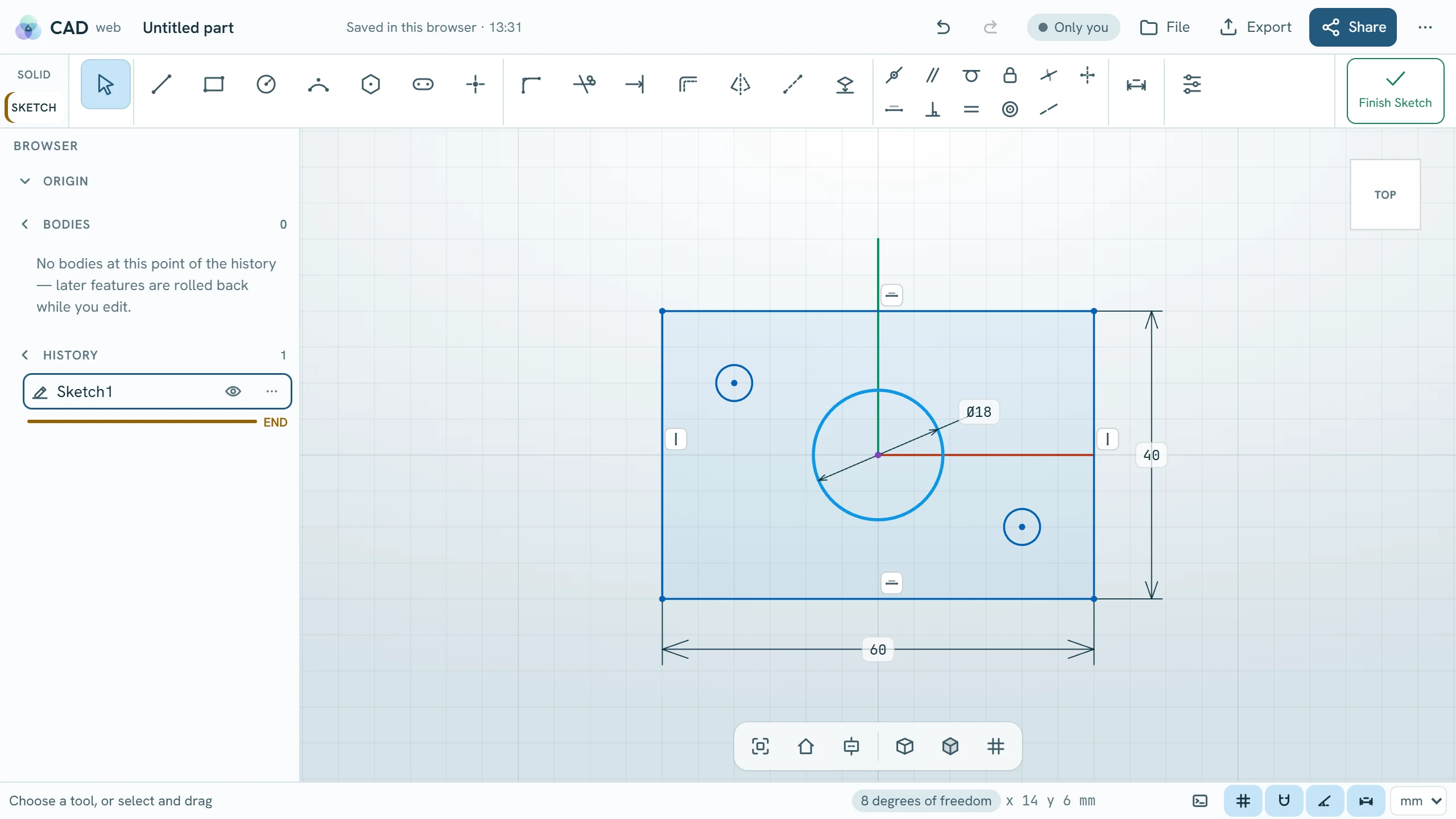
  • Dimensions and constraints
  • Clear words when two constraints clash
  • Mouse, pen and touch
A sketch in the web CAD editor: a rectangle and circles with dimensions and constraint marks
Sketch · dimensions and constraints

Togetherone part, two people

Two people.One part.

Join a project room and model the same part live.

  • See who is here
  • Changes arrive as they are made
  • Each keeps their own undo
  • Offline edits catch up
Work together across PluraFusion →
A colleague's hole arrives live

Take it with youfiles in, files out

Open it.Send it on.

Your part leaves the browser as a file anyone can use.

  • Export STEP and STL
  • Open STEP, IGES and STL
  • Saved in your browser
  • Save and open .pfcad
  • Open it in the Web Viewer
  • Tablet and touch ready

Try it now.In a tab.

Open the viewer or start a part. It takes seconds.